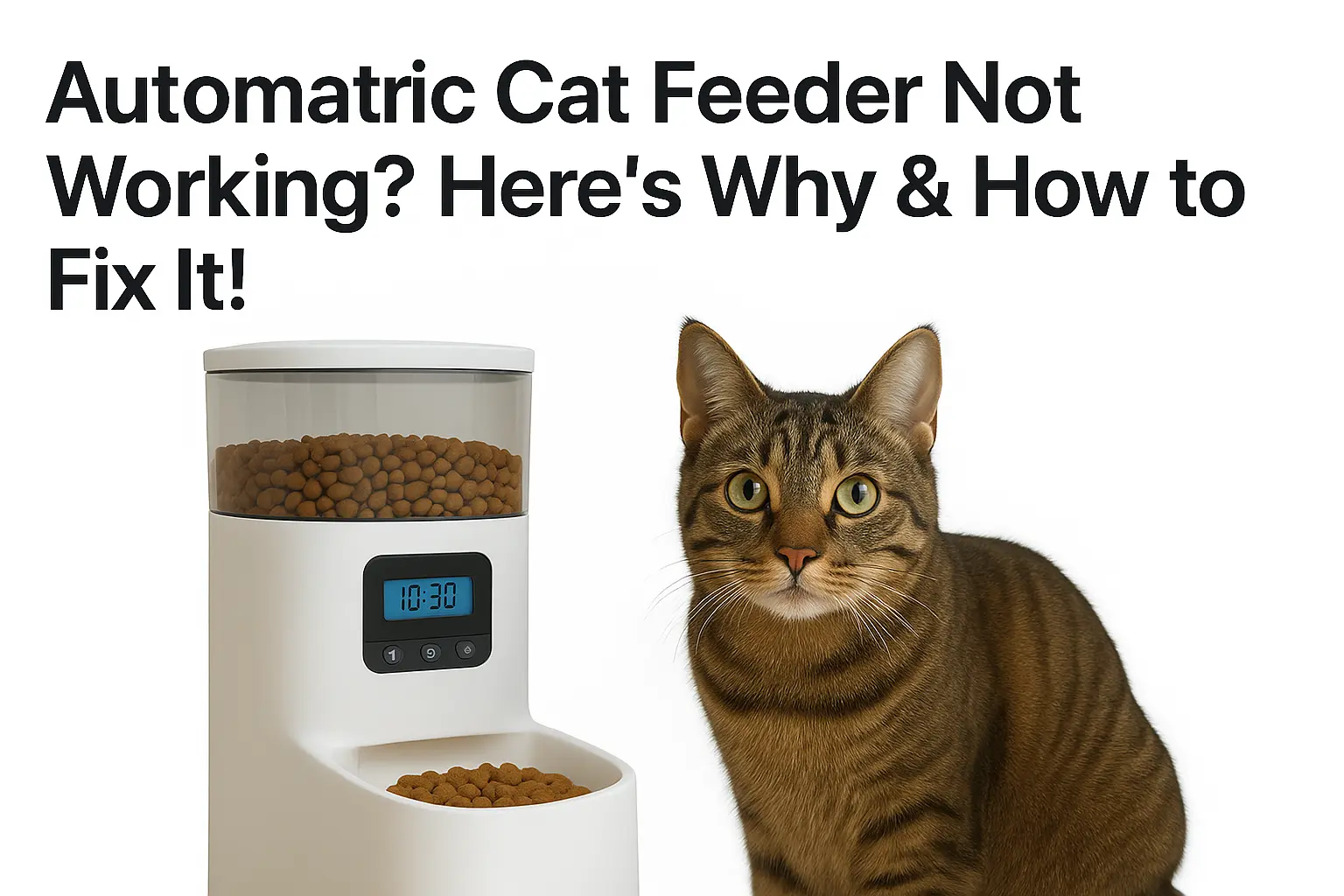
The house is quiet in the morning because your cat is sitting next to an empty bowl, staring at you with that look that says you have failed as a pet owner. You trusted your automatic cat feeder to handle things. You set the schedule. You filled the hopper. And yet, nothing came out.
If this sounds familiar, you are not alone. Automatic cat feeders are one of the most relied-upon pet care tools for busy cat owners and one of the most frustrating when they fail. The good news is that most automatic cat feeder problems are predictable, diagnosable, and fixable within a few minutes once you know what to look for.
In this guide, we will walk you through every major reason your automatic cat feeder is not working,from simple power issues and food jams to motor failures, app problems, and sensor faults.
But first, let us quickly understand how an automatic cat feeder actually works. Because when you know how the machine works, finding the problem becomes ten times easier.
How Does an Automatic Cat Feeder Work?
Before you can troubleshoot your feeder, you need to understand what is happening inside it. Automatic cat feeders are not complicated devices ,but they have several moving parts, and any one of them can cause a failure.
The 4 Main Types of Automatic Cat Feeders
Not all feeders work the same way. There are four main types on the market today, and each has its own common failure points.
Gravity Feeders
The simplest type. Food sits in a storage container above a bowl, and gravity pulls kibble down as your cat eats. There is no motor, no timer, and no programming. They rarely “break”, but they also offer zero portion control, which means an overweight cat can eat as much as they want.
Timed / Programmable Feeders
These use a built-in timer and a rotating disc or auger mechanism to dispense a set amount of food at scheduled times. You programme the feeding schedule and portion size. Most entry-level feeders like the Cat Mate C500 and VOLUAS VL001 fall into this category. They run on batteries, a power adapter, or both.
Auger-Style / Hopper Feeders
The most popular type for dry kibble. A motorised auger (a rotating screw mechanism) sits inside the food chute. When a meal time triggers, the motor spins the auger, which pushes kibble forward and drops it into the bowl. Brands like PETLIBRO, ANDOLL HOME, IMIPAW, and Oneisall use this design. The auger is also the most common source of food jams.
Smart / Wi-Fi Feeders
These connect to your home Wi-Fi (usually 2.4GHz or 5GHz) and pair with a smartphone app. You control feeding schedules, portion sizes, and get real-time meal notifications from anywhere. Advanced models like the PETLIBRO Granary Wi-Fi, WOpet Smart Feeder, and PetSafe Smart Feed also include HD cameras, two-way audio, and low-food sensors. Smart feeders have more features and more ways to malfunction.
Most Common Automatic Cat Feeder Problems & How to Fix Them
When feeders work, they do problem due to the environment, cable supply, batteries, motor, sensor, and electronic parts. Let’s break down
Power or supply cable issue
You press the button. Nothing happens. No light. No sound. No movement. Your automatic cat feeder is completely dead, and your cat is already looking at you like the situation is entirely your fault.
Before you assume the worst, A feeder that will not turn on is almost never permanently broken. In the overwhelming majority of cases, it is one of four very fixable power problems, and you can work through all of them in less than ten minutes right now.
Dead or Incorrectly Installed Batteries
Check the batteries. If they are depleted or improperly installed, the feeder won’t function. Open the battery compartment and check the metal contacts for white or greenish corrosion. Clean it with a dry cotton swab before inserting anything new. Always use fresh D-cell alkaline batteries, never rechargeables.
Loose or Damaged Power Adapter
If your feeder is plugged in, ensure the power adapter and outlet are working properly. Additionally, loose connections can prevent it from operating, so make sure all cables are securely connected. If the issue persists, further troubleshooting may be needed. Check this issue very carefully.
If that also fails, the outlet is your problem. Run your fingers along the full cable length, feeling for kinks or damage near both plug ends. Always use the original adapter at the correct voltage.
Power Outage Reset With No Battery Backup
The power flickered for one second, and now it shows a flashing 12:00 and does nothing. A brief power cut without backup batteries wipes your entire feeding schedule and resets the feeder to factory defaults. It is not broken, it just needs reprogramming. Unplug the feeder for 30 full seconds, plug it back in, reset the clock, and rebuild your schedule. Then install backup batteries immediately
Power Switch Is Turned Off
This is the fix nobody thinks to check, and it solves the problem more often than anyone expects. Many feeders have a physical power switch hidden on the bottom or back of the unit. It gets knocked accidentally.
Jammed Food Dispenser in the feeder
A food jam is the most common reason an automatic cat feeder motor runs but nothing comes out of the bowl. You can hear the feeder working, but the bowl stays empty. Here is every cause and the exact fix.
Kibble Size Too Large for the Chute
Most automatic cat feeders are designed for dry kibble between 2mm and 10mm in diameter. Oversized kibble, triangular-shaped pieces, or large breed formula dry food jams the auger dispensing mechanism almost immediately. The motor spins, but the food simply will not move through the chute.
Check your kibble size against your feeder’s manual right now. If your food is too large, switch to a smaller standard sized kibble. After switching, power off the feeder, remove the hopper, and use a soft brush or wooden spoon handle to clear any stuck pieces from the dispensing chute before restarting.
Moisture and Humidity Causing Kibble Clumping
Humidity is the silent killer of automatic cat feeders. When dry kibble absorbs moisture from the air, it swells slightly, becomes sticky, and clumps together inside the hopper and dispensing chute. You will not see it happening until suddenly nothing comes out, and your cat is staring at an empty bowl.
This problem is especially common in kitchens near sinks, in humid climates, and in homes without air conditioning during summer. To fix it immediately, power off the feeder, remove and empty the hopper completely, and break apart any clumped kibble blocking the chute with a dry brush.
To prevent it from happening again, store your cat food in an airtight container with a desiccant bag and never fill the hopper more than 75% full. Overfilling compresses kibble at the bottom and makes moisture clumping significantly worse.
Overfilling the Food Hopper
A completely full hopper creates too much downward pressure on the kibble sitting directly above the auger. That pressure compresses the food so tightly that the motor cannot push it forward through the dispensing chute.
Keep your hopper filled to a maximum of 75% capacity at all times. It takes less than 30 seconds to check and costs nothing to fix. This single habit eliminates one of the most frequent food jam complaints across every major automatic cat feeder brand.
How to Clear a Food Jam Right Now
Power the feeder off completely and unplug it from the wall. Remove the food hopper from the base and set it aside. Look directly down into the dispensing chute; you will almost certainly see a clump of kibble or a single oversized piece wedged against the auger.
Use a long, soft bristle brush or the handle of a wooden spoon to gently push the blockage free. Never use metal objects inside the chute as they permanently damage the auger teeth. Once the chute is completely clear, run a manual test feed before reloading any food. Use correctly sized kibble and store the remaining food in an airtight container for your furry friend.
Timer, Programming Error
A timer or programming error could be preventing your automatic cat feeder from working properly. Double-check the feeding schedule in the settings to ensure the times are correctly programmed. Some feeders may reset after a power outage, causing them to lose their saved schedule, so it’s important to reconfigure the settings if needed.
Additionally, a clock mismatch can cause feeding delays, so verify that the feeder’s internal clock is set to the correct time. Reviewing and updating these settings can help restore proper functionality.
Sensor or Lid trouble
Sensor or lid issues can also prevent an automatic cat feeder from working properly. Some feeders use infrared sensors to detect food levels, and if these sensors are blocked by dust, debris, or even leftover kibble, the dispenser may not function correctly.
An improperly closed lid can interfere with the feeding mechanism, especially in models with airtight seals or locking systems. Ensuring the lid is securely closed and cleaning the sensor area regularly can help resolve these issues and keep your feeder working smoothly. Sometimes SureFeed not opening due to these reasons.
Motor fault in automatic cat feeder
A motor fault is the most dangerous automatic cat feeder problem, because it fails silently. The display stays on, the schedule runs perfectly, the timer fires on time, but either nothing comes out, or your cat gets a fraction of the correct portion. By the time you notice, your cat has been underfed for days.
Warning Signs Your Motor Is Failing
The warning signs are specific. A grinding sound throughout the entire dispensing cycle points directly to motor wear. A motor that runs at full speed but dispenses nothing means the auger coupler has disconnected from the motor shaft. The motor spins freely while the auger sits completely still. Portions that are consistently smaller than programmed without any jam present indicate the motor is losing torque and can no longer push the full amount through the chute before timing out.
Signs Your Motor Has Actually Failed
Before assuming the motor has failed, clean the motor area thoroughly first. Kibble dust and food fragments build up inside the motor housing over months of daily use, creating friction that mimics motor failure perfectly. Unplug the feeder, open the dispensing assembly, and brush all debris clear with a dry brush — never water near the motor housing. Then reseat the auger shaft firmly on the motor coupler and run three manual test feeds. This single step resolves the majority of apparent motor failures on feeders.
If cleaning and reseating the coupler does not fix the problem, the motor brushes have worn down and the unit needs replacement. Check your warranty first. PETLIBRO, PetSafe, SureFeed, and WOpet all cover motor defects within 12 months and will replace the unit entirely. If your feeder is older than two to three years and outside warranty, replacement is more practical than repair. A reliable feeder range will outlast a worn motor on a budget model by years.
If you hear unusual noises like grinding or clicking, it could indicate that the motor is struggling to function properly. Regular maintenance, cleaning, and checking for obstructions can help extend the motor’s lifespan, but if the issue persists, replacing the motor or the feeder itself may be necessary.
Handling Physical Damage or Breakages in the Feeder Structure
Physical damage is one of the most overlooked reasons an automatic cat feeder stops working properly. Most owners assume their feeder has a software glitch or power problem, never thinking to check whether the actual plastic structure is cracked, warped, or broken. A cracked hopper lid lets in moisture and air that ruins kibble quality and cause clumping jams.
While cleaning the cat feeder
when we try to clean the automatic feeder, sometimes a lack of knowledge on how to clean an automatic cat feeder cat owner to suffer in trouble. We write easy and simple way to clean the automatic feeder.
Software or App Problems

Smart automatic cat feeders connect to your smartphone through a dedicated app. When the app or software fails, your feeder stops receiving feeding commands, and your cat gets nothing. Here are all the causes and fixes.
Wrong WiFi Frequency
This is the number one smart feeder connection problem worldwide, and almost nobody knows about it until their feeder refuses to connect. Every major smart cat feeder brand requires a 2.4GHz WiFi network specifically. They cannot connect to 5GHz, not even if your router broadcasts both frequencies under the same network name.
Your feeder tries to connect to 2.4GHz. They are on different lanes of the same road, and they cannot find each other. The fix is to log into your router settings and separate the two bands by giving them different names, such as “HomeNetwork_2G” and “HomeNetwork_5G.” Connect your feeder exclusively to the 2.4GHz network during setup. Once paired successfully, your router can run both bands normally again.
Wifi password
This hidden cause blocks connection for thousands of smart feeder owners every year. PETLIBRO support documentation confirms that many feeder WiFi modules cannot handle passwords longer than 12 characters or passwords containing special characters such as @, #, !, or spaces. If your home WiFi password contains any of these, your feeder will fail to connect every single time, no error message, no explanation, just a blinking red light and a connection timeout in the app.
The fix is to temporarily change your WiFi password to a simple combination of letters and numbers under 12 characters, connect your feeder, and then change your password back to your preferred one. Alternatively, create a dedicated guest network with a simple password specifically for your smart pet devices.
Outdated Firmware Causing Feeding Failures
Firmware is the internal software that controls everything your feeder does: the feeding schedule, portion sizes, motor timing, and app communication.
When firmware becomes outdated, bugs appear that cause missed meals, incorrect portions, frozen displays, and complete app disconnections. PETLIBRO and WOpet both regularly release firmware updates specifically to fix scheduling failures and connectivity bugs that develop over time.
Open your feeder app and check for available firmware updates. Install any pending update and never power off the feeder mid-update. After updating, reset the feeder, reconnect it to the app, and rebuild your feeding schedule from scratch to confirm everything saved correctly.
App Glitches and Crashes
Even when your feeder is connected and your WiFi is working perfectly, the app itself can develop glitches that prevent feeding commands from reaching the feeder. This is especially common after a phone operating system update on iOS 15+ or Android 12+, which can silently reset app permissions that the feeder app needs to function.
The first fix is always the simplest :close the app completely, force stop it, and reopen it fresh. If that does not work, go to your phone settings, find the feeder app, and check that location permissions are set to “Always” rather than “While Using.” This single permission change resolves persistent connection drops for users more reliably than any other fix. If the app is still crashing, uninstall it completely, restart your phone, and reinstall it fresh from the App Store or Google Play.
You program your feeding schedule carefully into the app. The feeder confirms it. Then nothing happens at the scheduled time because the schedule was never actually saved to the feeder’s internal memory. This happens most commonly after a firmware update that resets device settings, or after the feeder briefly loses its WiFi connection at the exact moment you saved the schedule.
The fix is straightforward. After programming any feeding schedule, always verify it saved correctly by checking the schedule tab in your app and confirming each meal time appears exactly as you set it. Then trigger one manual test feed from the app immediately.
If the feeder responds to the manual feed command, your connection is working, and your schedule is live. If the feeder does not respond, reset the device, reconnect to the app, and reprogram the schedule again from scratch.
Automatic Cat Feeder Maintenance Schedule
Most automatic cat feeder problems do not come from broken parts; they come from neglect. A feeder nobody checks or cleans will fail quietly, without warning, at the worst possible moment. Ten minutes a week prevents 90% of every problem in this guide.
Weekly Maintenance Checklist
Every week, wipe the food bowl and dispensing chute with a damp cloth and dry completely. Check the hopper level and clear any visible kibble dust around the auger opening. For smart feeders, open the app and confirm every scheduled meal dispensed successfully that week. And a full, Clean automatic cat feeder with anti-bacterial soap after a month
What to Check Before Going on Vacation
Run your full vacation feeding schedule 48 hours before leaving, while you are still home watching the feeder. Confirm every meal fires correctly, and every portion reaches the bowl. Fill the hopper with enough food for your entire trip plus two extra days. Install fresh backup batteries even if running on AC power. Confirm your smart feeder shows online in the app before you leave.
Arrange a trusted person to physically check your cat every 48 hours no feeder replaces human care.
When to Contact Manufacturer Support
If you have tried every fix in this guide and your feeder is still not working, stop and contact the manufacturer before touching anything else. Opening the feeder yourself voids your warranty instantly on every brand.
Contact support when your feeder shows no signs of life, makes grinding noises, cannot be fixed, or has cracked under normal use. Most brands, including PETLIBRO, PetSafe, WOpet, and SureFeed, offer a 12-month warranty and respond within one to three business days.
Have these ready when you contact them: your model number, proof of purchase, and a short video showing the fault. A video gets your replacement approved on the first contact.
Every brand’s official contact,, like some manufacturers. Emails, phone numbers, and website support forums.
If your feeder is outside warranty, replace it. A reliable feeder from PETLIBRO Granary or PetSafe Smart Feed 2.0 will outlast a failing budget model by years.
Conclusion!
Most automatic cat feeder problems come down to three things — power, a food jam, or a settings error. All fixable in minutes. Work through this guide in order and your feeder will be running again before your cat even notices something was wrong.
Still stuck? Drop your question in the comments. We read every single one.
How reset surefeed microchip feeder?
It’s very common issue how to reset microchip feeder. you need to press and hold for ten second add pet button after 10 second red light will blink it’s mean feeder has reset.
why Cat Mate feeder not working?
when you see cat mate feeder is not work. check the batteries if it dead change it. Then check the sensor see if any dust clean it. After clean reset the feeder then it’s work. if it not working see the guide book and contact with help center.
Why is my automatic cat feeder not dispensing food even though it is turned on?
The most common reason is a jammed auger chute. Power off the feeder, remove the hopper, and clear the chute with a soft dry brush. Also, check that your portion size did not reset to zero after a power outage. A feeder set to zero portions fires on schedule but dispenses absolutely nothing.
How do I reset my automatic cat feeder when it stops working?
Unplug the feeder, remove the batteries, and leave it fully unpowered for 30 seconds. For PETLIBRO, hold the reset button for five seconds until you hear a chime. For SureFeed, hold the Add Pet button for ten seconds until the red light blinks. After any reset, always reprogram the clock and feeding schedule from scratch.
What happens to my cat if the automatic feeder breaks while I am away?
Serious health problems begin within 48 to 72 hours without food. Cats risk hepatic lipidosis a dangerous liver condition that can become life-threatening within days. If your feeder fails while you are away, arrange food immediately and contact your vet the same day rather than waiting for symptoms to appear.
How often should I clean my automatic cat feeder?
Wipe the food bowl and chute opening every week. Do a full disassembly and clean every month, wash the bowl, wipe the hopper with diluted white vinegar, replace the desiccant bag, and install fresh D-cell alkaline batteries. A feeder cleaned weekly and maintained monthly will reliably outlast a neglected one by years, regardless of brand.